

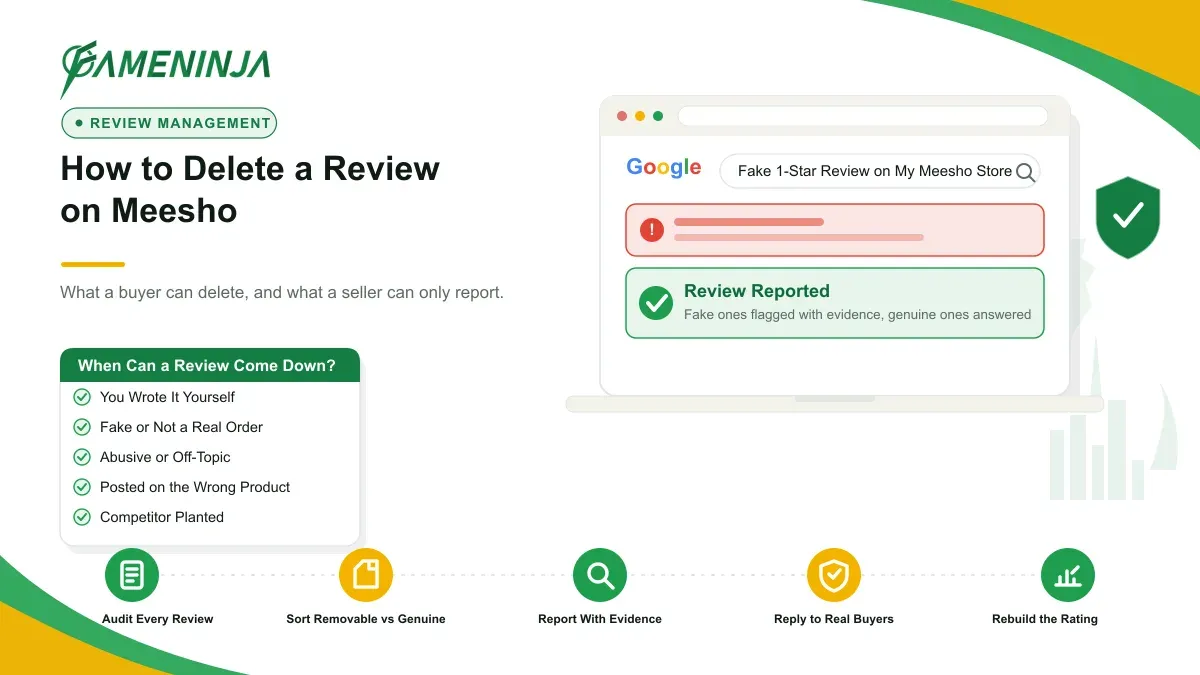
A single one-star review on Meesho can sit at the top of your product page for weeks, and it can quietly cost you orders you never see. The question of how to delete a review on Meesho has two very different answers, and which one applies depends on whether you are the buyer who wrote it or the seller who received it. If you are a seller staring at a review you believe is fake, the honest starting point is our guide to removing a negative review from Meesho.
If you are a buyer, maybe you rated something in a bad moment, or the issue got resolved, and now you want to change or remove your words. That is simple, because it is your review to edit.
If you are a seller, the review is not yours. Maybe it is fake, abusive, left by a competitor, or posted on the wrong product, and it is pulling your rating down. That is a harder problem, and it needs an honest answer.
This guide keeps the two apart. First, the buyer steps to delete or edit your own Meesho review. Then the seller reality: what Meesho will and will not remove, how to report a review that breaks policy, and where Indian consumer law fits. No false promises here.
Quick answer: A buyer can delete or edit their own Meesho review inside the app. Open the product or your order, go to Ratings and Reviews, and change or remove it. A seller cannot delete a genuine buyer review. A seller can only report reviews that break Meesho policy, with evidence. No route guarantees removal.
How to delete your own review on Meesho (buyer steps)
You wrote the review, so you control it. Meesho lets the author of a rating or review update or take it down from the app. Meesho's own engineering team has described a system where users can create a new review or edit an existing one, so this is built into how the platform works, not a hidden trick. You can read their rating and review system write-up for the background.
Here is the general path most buyers use. the exact labels on your app version, because Meesho updates its screens often.
- Open the Meesho app and sign in with the same number you used to place the order.
- Go to Account or your profile, then open My Orders (sometimes shown as Orders).
- Find the delivered order for the product you reviewed and tap it.
- Look for Rate this product, Ratings and Reviews, or your existing star rating on that product.
- Tap your current review. You should see an option to edit the text and stars, or to remove the review.
- To delete, choose the remove or delete option and confirm. To change it, edit the stars and text, then save.
If you cannot find the review under your order, open the product page itself, scroll to the reviews, and check whether your review shows an edit pencil or a small menu. On some app builds the edit control lives on the product page, not the order page.
A few honest notes. A deleted review usually disappears from the product page within a short window, but it is not always instant, because ratings are recomputed in the background. If your review had photos or videos, removing the review removes that media too. And if you signed in with a different number than the one used for the order, you will not see the review as yours to edit.
How to edit a Meesho review or change your rating
Sometimes you do not want to delete the review, you want to fix it. A seller solved your problem, a replacement arrived, or you rated the wrong item. Editing is the better move here, because an updated review reads as fair, and it keeps your history honest.
To edit, follow the same path to My Orders, open the product, and tap your existing rating. Change the star count and rewrite the text. Save. The old version is replaced by the new one. If you want to delete a Meesho rating but keep a written note, some versions let you lower or reset the stars while editing the text; if not, you remove the whole review and, if you choose, add a fresh one later.
This matters more than people think. A buyer who edits a one-star into a three-star after a fix does more for a seller than a deleted review, because the rating count and the story both update. If you are a seller reading this and a customer offers to fix an unfair review, guide them to edit rather than delete. It is faster for them and cleaner for you.
One thing Meesho controls, not you: whether editing stays open forever. Platforms sometimes lock reviews after a period to protect review integrity, a principle India's own review standard encourages. If your edit option has vanished on an old review, that lock is the likely reason, and Meesho's Help and Support is the place to ask.
What is realistically possible: who can actually remove a Meesho review
This is the section most people skip, and it is the one that saves you weeks of frustration.
Here is the plain truth. On Meesho, a product review can be removed in only two ways. Either the author removes or edits it, which we covered above. Or Meesho removes it because it breaks their policy, after someone reports it with evidence. That is the whole list. There is no third door.
What most people get wrong is assuming a seller can delete a buyer's review the way a buyer can. You cannot. A genuine negative review, from a real customer describing a real experience, stays. It does not matter that it feels unfair, or that the fault was the courier's, or that the buyer never contacted you first. Honest criticism is protected on the platform, and trying to bury real feedback is the wrong strategy anyway.
So a seller's real question is not "how do I delete this review." It is "does this review break Meesho's rules, and can I prove it." If yes, you report it. If no, you respond to it and out-earn it with better reviews over time. Our review management approach starts exactly here, by sorting reviews into removable and not-removable before anyone wastes effort on the ones that will never come down.
Honest limitation, stated once and clearly: even a valid report of a policy-violating review has no guaranteed outcome and no fixed timeline. Meesho decides. Anyone promising you certain removal of a Meesho review, for any fee, is selling you a story. We will tell you what looks reportable and what does not, before you spend a rupee.
If you want that honest read on a specific review, ask us for a Free ORM Report. We will say plainly whether it is a report case, a response case, or a suppression case.
How a seller reports a fake or policy-violating review on Meesho
If a review is not genuine, you have a real path. Meesho, like most marketplaces, will consider removing reviews that break its content rules. The categories that usually qualify:
- Fake reviews, including paid or bot reviews and reviews from people who never bought the product.
- Abusive or obscene content, hate speech, or personal attacks.
- Competitor or malicious reviews, including coordinated review bombing meant to sink a rating.
- Irrelevant or wrong-product reviews, where the content has nothing to do with the item, or complains about something outside the product (for example a courier delay attached as a one-star product review).
- Privacy-violating content, such as a review that leaks someone's phone number or personal data.
To report, use the tools Meesho gives sellers. The general route: open the review on the product, look for a Report or flag control, and submit the reason. If there is no in-line report option on your app or Supplier panel version, raise a ticket through Meesho seller support and cite the specific policy the review breaks. the current path, because Meesho moves these controls between the app and the panel.
Make the report easy to approve. Vague complaints get ignored. Strong reports do three things:
- Name the exact violation. Do not write "this is unfair." Write "this review is on the wrong product" or "this reviewer never purchased this item."
- Attach evidence. Screenshots, order-ID mismatches, timestamps of a review cluster that arrived together, or the abusive language quoted directly.
- Keep it factual and calm. A moderator reads dozens of these. The clean, specific one wins.
If Meesho declines and the review is genuinely defamatory or fake, there are escalation routes beyond the platform, which we cover next. Our page on how to remove a negative review from Meesho walks through the audit-and-report process in detail, and we are honest there too: we do not remove genuine feedback.
What Indian law says about fake reviews on Meesho
India now takes fake reviews seriously, and that gives sellers a lever when platform reporting stalls. This is general information, not legal advice, and every specific case needs a lawyer.
The Consumer Protection Act, 2019 treats misleading practices, including fake and planted reviews, as unfair trade practices. It created the Central Consumer Protection Authority (CCPA), which can investigate and act against such practices. You can read the government's consumer-protection material through the Department of Consumer Affairs.
There is also a dedicated standard. IS 19000:2022, published by the Bureau of Indian Standards, sets out principles for collecting, moderating, and publishing online consumer reviews. It came into force in late 2022 and is currently a voluntary standard for e-commerce platforms. Its guiding ideas are integrity, accuracy, privacy, security, transparency, accessibility, and responsiveness. It expects platforms to verify reviewer identity and to filter fraudulent reviews.
What this means in practice for a seller. If a review on your Meesho listing is demonstrably fake, or if it is defamatory in the legal sense (a false statement of fact that harms your reputation), you may have grounds beyond the platform's own process. A legal notice, or a formal complaint referencing unfair trade practice, can carry weight that a plain report does not. Defamation in India now sits under the Bharatiya Nyaya Sanhita rather than the old code, so cite current provisions, not outdated section numbers.
Be realistic about the gap here. The law addresses fake and misleading reviews. It does not give you a way to erase an honest bad review, and no court will help you hide the truth. Suppression and deletion are different promises: a genuine review can sometimes be pushed down by earning better ones, but it is not deleted. Keep that line clear in your own head before you spend money chasing it.
How Meesho reviews show up in AI search (ChatGPT, Perplexity, Google AI Overviews)
Your reviews no longer live only on Meesho. When a shopper asks an AI assistant "is this Meesho seller reliable" or "is this product any good," tools like ChatGPT, Perplexity, and Google AI Overviews pull from reviews, forum threads, and rating summaries scattered across the web. A cluster of angry reviews can become the one sentence an AI answer repeats.
This changes the stakes of a single review. On Google, a bad review is one blue link among many. Inside an AI answer, it can be the summary. AI engines favour clear, repeated, structured signals, so a consistent pattern of complaints gets amplified into a confident-sounding verdict, and a scatter of strong positive reviews can do the same in your favour.
Two practical takeaways. First, a genuine bad review you cannot delete still matters less when it is one voice among many recent, detailed, positive ones, because that is the pattern an AI will describe. Second, the way you respond to reviews is now public training data of a sort; a calm, helpful reply reads well to both humans and machines. If your name or brand is being described wrongly by an AI tool, that is a reputation problem in its own right, and it is fixable with the right signals over time, not with a delete button.
A pattern we see at FameNinja (anonymized example)
Consider a small home-goods seller on Meesho, a common profile in our work. Their rating slipped after a run of one-star reviews landed in the same week. The seller assumed the reviews were a competitor attack and wanted them all deleted.
When we sorted the reviews, the picture split. A few were clearly reportable: two mentioned a completely different product category, and one repeated the same odd phrase from accounts with no purchase history, a classic sign of a coordinated drop. Those we treated as report cases, documented with screenshots and the wrong-product mismatch.
But most were genuine. Real buyers, real orders, complaining about the same packaging fault. Those were not removable, and pretending otherwise would have wasted the seller's money. So the plan had two tracks. Report the policy-violating ones with evidence. For the genuine ones, fix the packaging, reply to each buyer, and rebuild the rating by increasing positive reviews on Meesho from satisfied customers going forward.
We do not attach invented success numbers to stories like this, because outcomes depend on the platform and the facts. The point of the example is the method: separate removable from genuine first, then act on each honestly. That same sorting logic sits behind our broader work to remove negative reviews across platforms, and you can find more of these breakdowns on the FameNinja blog.
A calm next step
Deleting a review on Meesho is easy when it is your own review and hard, sometimes impossible, when it belongs to someone else. That difference is the whole story. Buyers control their words. Sellers control their response, their reporting of policy violations, and the reviews they earn next.
If a review is hurting your Meesho store and you are not sure whether it is removable, we can look at it with you and say so plainly, no guaranteed-removal sales pitch. Request a Free ORM Report and we will tell you what is realistically possible, and what is not.